
06 Turns
Only what is new gets read.
Each turn the whole chat is rendered exactly as the model was trained on it. The part the cache already holds is skipped, and only the rest is fed in.
 Own AI
Get the app
Own AI
Get the app
Own AI · on-device assistant for iPhone
Own AI runs language and vision models on the device itself. Chat, ask your documents, talk hands-free and work through math, with a starter model already inside.
Fig. 01 Where the thinking happens
Elsewhere, asking means sending.
Here, the model is already on the phone.
So a question, a lease, a photo and your voice are read where they are.
Local inference sends no prompt to a model provider.
Conversation history, imported documents, retrieval indexes, saved prompts and assistant memory.
No tracking, and no collected data.
Model downloads, web search and Apple Intelligence talk to their own services, and only when you use them.
Fig. 02 Ask your documents
Attach PDFs, DOCX, TXT, RTF or code files and ask. Retrieval runs on the phone, scans can go through optional OCR, and Document Sources shows the pages an answer drew on.
A moving sketch of the flow. The question and answer are from the app's sample lease.
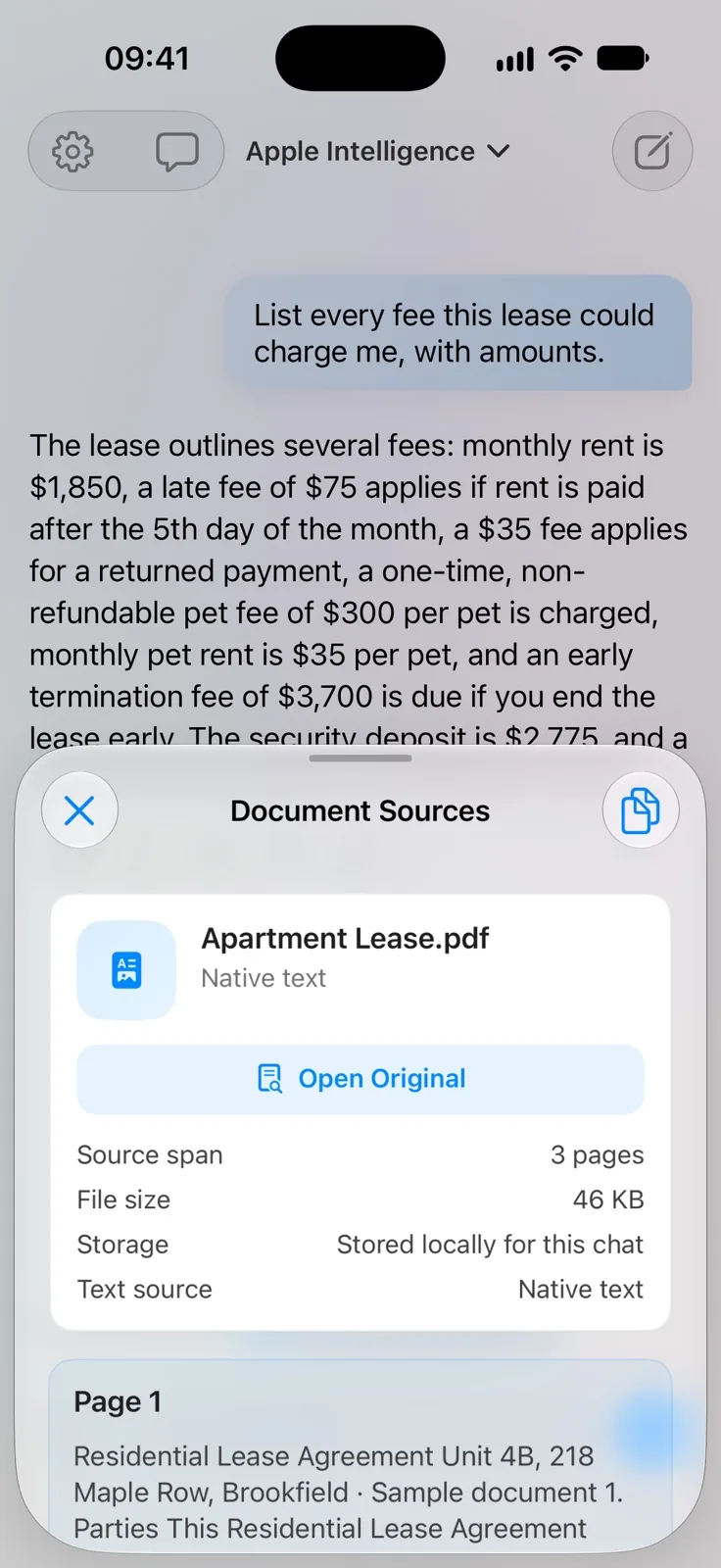
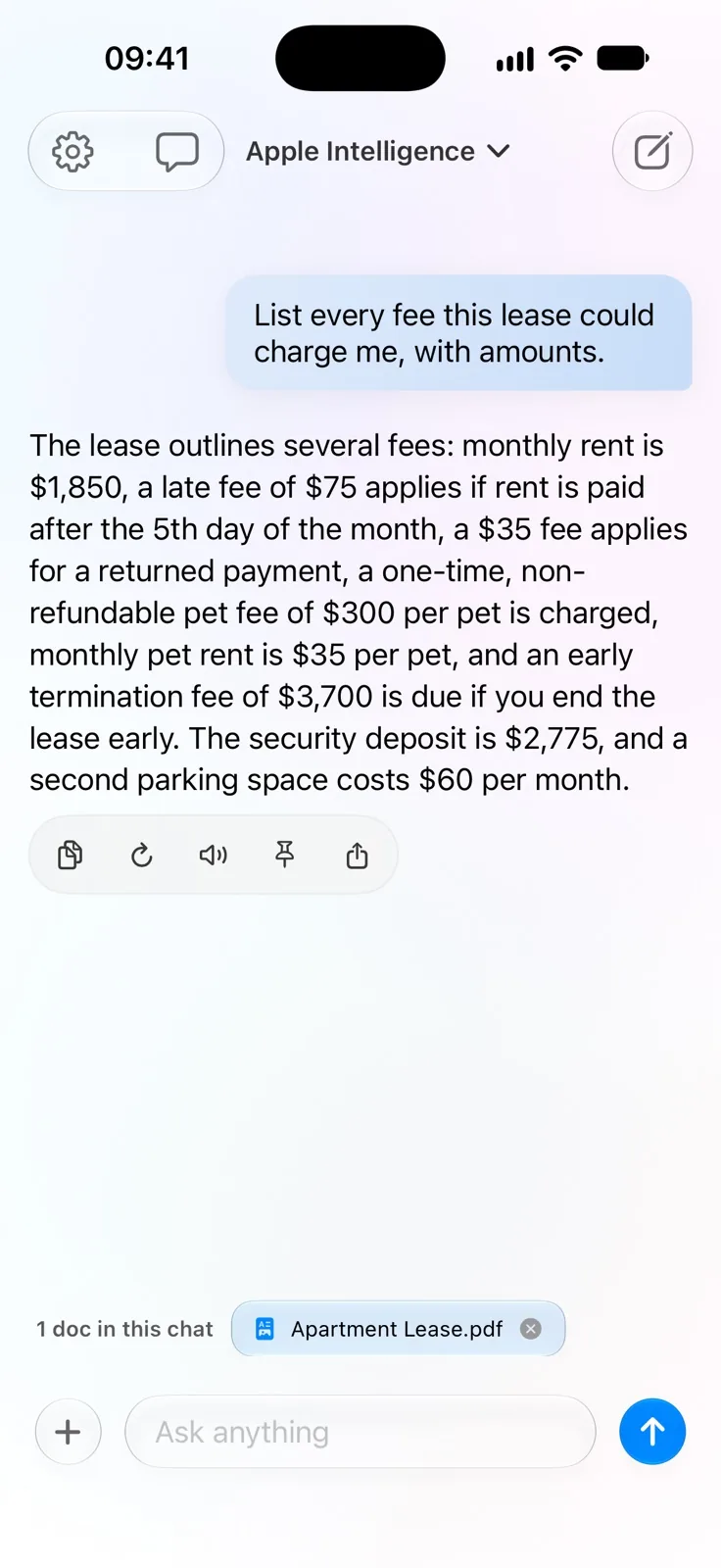
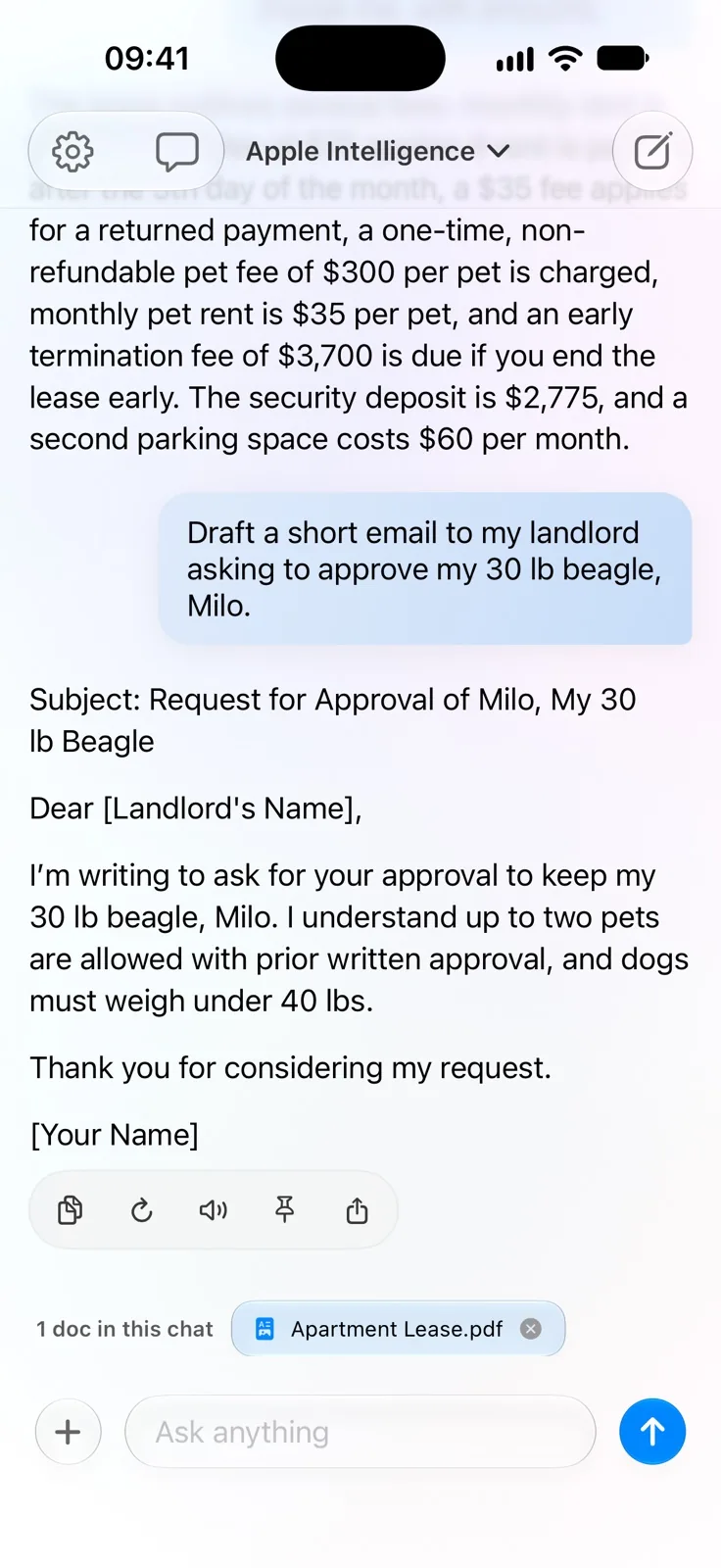
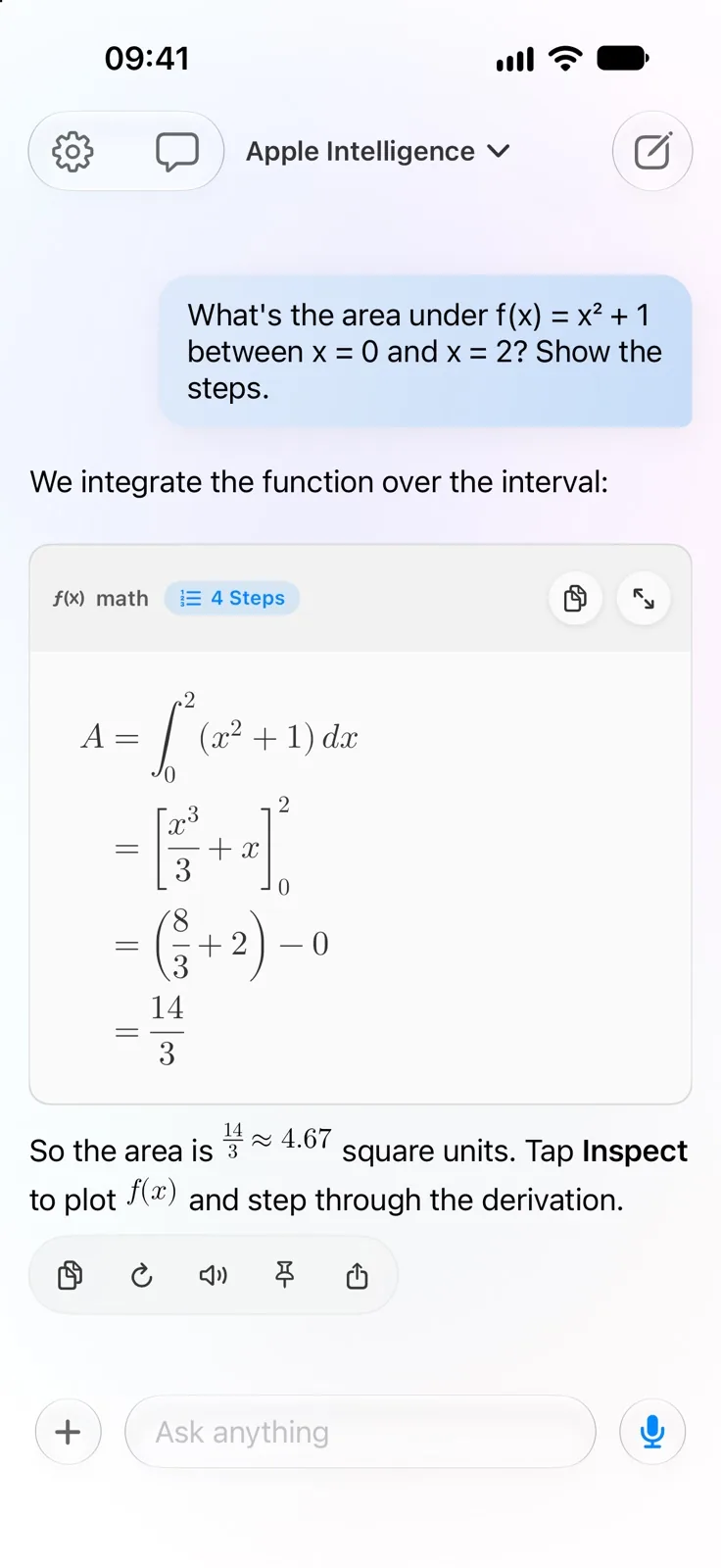
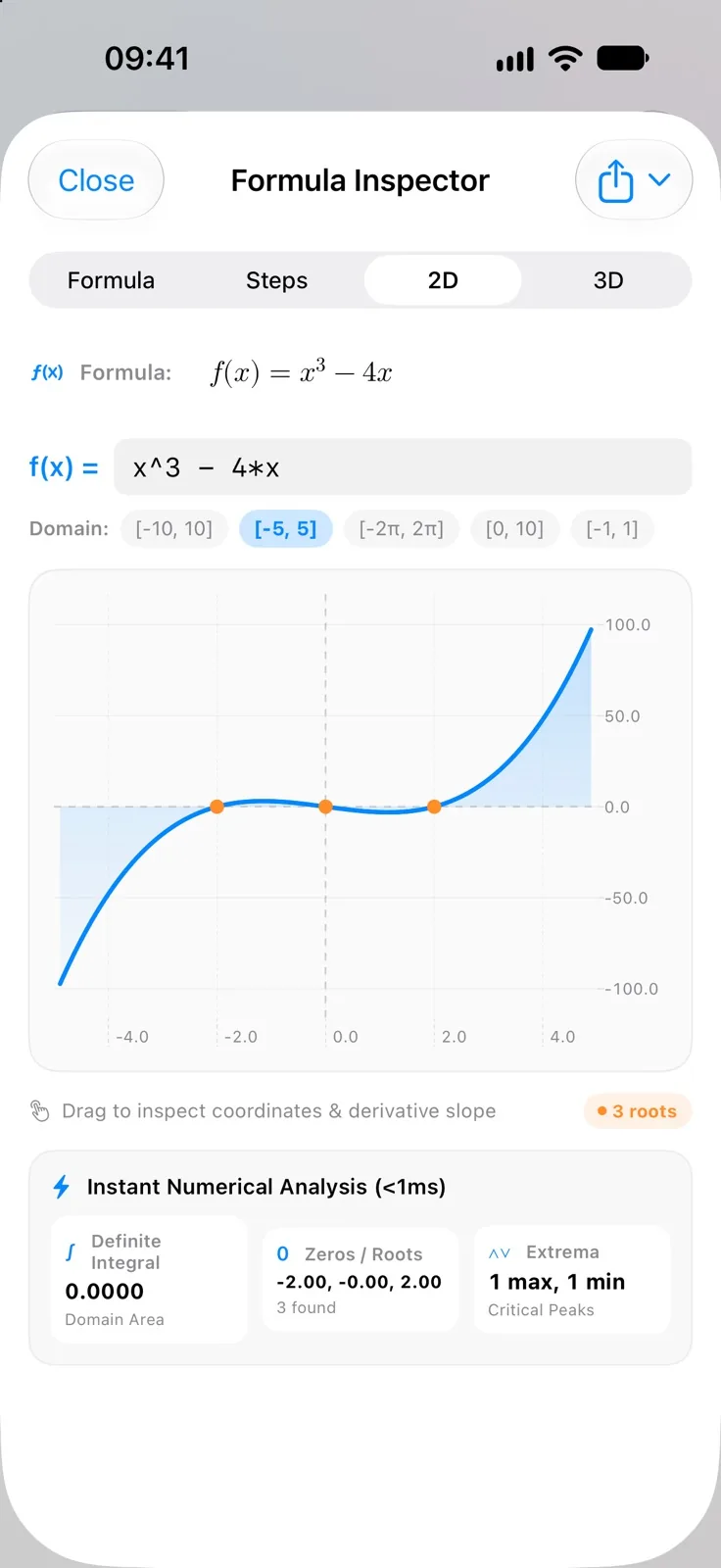
Fig. 03 Math that draws itself
Answers render LaTeX and group a derivation into numbered steps. Any formula opens in the Formula Inspector, with four tabs: Formula, Steps, 2D and 3D.
A = ∫20(x² + 1) dx
= [x³3 + x]20
= (83 + 2) − 0
= 143 ≈ 4.67
Fig. 04 Voice
Speech recognition is set to run on the device, and replies are read aloud by local text-to-speech with six downloadable Kokoro voices. Audio recordings can be transcribed too.
Hands-free conversation mode listens, answers aloud and lets you interrupt naturally.Pro
Fig. 05 The shelf
A small Qwen3 0.6B starter model ships in the app, so the first chat needs no download. From there the catalog runs from 0.14 GB up to Mac-class giants, plus Apple's Foundation Models on compatible iOS 26 devices.
Own AI picks a starting model that fits your device. 25 of the 88 take images; 22 are under 1 GB.
Spine height follows the number of models per family. The largest entries are meant for iPad Pro or Mac-class memory, not a phone.
The checklist is the app's own; the two animations are its Lottie files.
Search Hugging Face for community MLX models. Each is checked against your device before anything downloads: architecture, files, chat template, quantization and memory. Afterwards, a load-and-reply self-test proves it actually runs.
Fig. 06–09 Under the page
Running a language model on a phone is mostly a question of memory. Four things the engine does about it, each sketched in motion.
06 Turns
Each turn the whole chat is rendered exactly as the model was trained on it. The part the cache already holds is skipped, and only the rest is fed in.
07 Draft models
For a few larger models, a much smaller one of the same family proposes a handful of tokens and the larger model checks them in one pass. The output is identical to running the main model alone.
08 Memory-aware prefill
Reading a long prompt is when a phone is most likely to end the app. So it is read in chunks sized from the memory the app has left, each using at most half the headroom above the device's memory floor.
09 Session cache
Leave a chat and the model's working memory of it is written to disk. Reopen it with the same model and the full context comes back, instead of a clipped transcript being read again.
Settings › Performance keeps per-model medians measured on your own device: time to first token, generation speed, prompt-processing speed and peak memory. Prompts and replies are never recorded.
Fig. 10 Study
A document becomes a study set: flashcards and self-assessed quizzes, each with its source quote. A remembered question returns after 1, 3, 7, 14 and then 30 days. A missed one stays due.Pro
Try it: grade the card and watch when it returns.
Fig. 11 Yours
Seven built-in personalities, each with its own prompt and temperature. Memory is off by default; switched on, it stores only your name or details you explicitly ask it to remember, on this device.
Temperature
Lower is steadier, higher is looser. Pro adds a Prompt Library for up to 20 saved personas.
The Modern look — paper and ink, with a colour of your choice — adds seven accents and three paper tones, each with a matching Home Screen icon.
Fig. 12 Beyond the app
“Ask Own AI”
Say the phrase, or build with three Shortcuts actions.
Speak or tap a quick prompt. The iPhone does the thinking, and a short answer comes back to your wrist. watchOS 11 or later.
Model Status, Formula of the Day and Quick Actions, on the Home Screen.
Share text or a link from another app, and ask about it.
The interface is localized in English, German, Spanish and French.
Plates Eleven screens, straight from the app
Colophon What it needs, what it costs
Chat on-device with a daily message allowance. Picking any catalog model is free.
Lifts the message and document limits. Offered monthly, yearly or as a lifetime purchase.
What leaves the device, and when. Chatting with a local model sends nothing. Downloading a model fetches its files from Hugging Face, which can see your IP address and device headers, but no personal content. A web search sends the query you typed to DuckDuckGo by default, or to Google if you choose it. If you pick Apple Intelligence, prompts and document text may be processed by Apple, including Private Cloud Compute, and the app asks before that model is used.